
Plugin · After Effects 2024–2026
Describe the animation. The panel sets the keyframes.
ER Motion AI is an After Effects extension with six tabs: speed curves, effects, layers, text, AI and library. You write what the layer should do and the AI turns it into keyframes, expressions and installed effects. Windows and Mac, one-time payment.
Plugin
What's inside
EASE
Draggable speed curve with in and out influence. Easy Ease, Ease Out, Ease In, Linear, Hold and Auto Bezier presets, plus your own.
FX
Wiggle with 4 presets, Strobe and Motion Animator with 7 presets, applied with one click to the selected layers.
LAYERS
Anchor point, sequence layers, create null, markers and Proximity Master.
TEXT
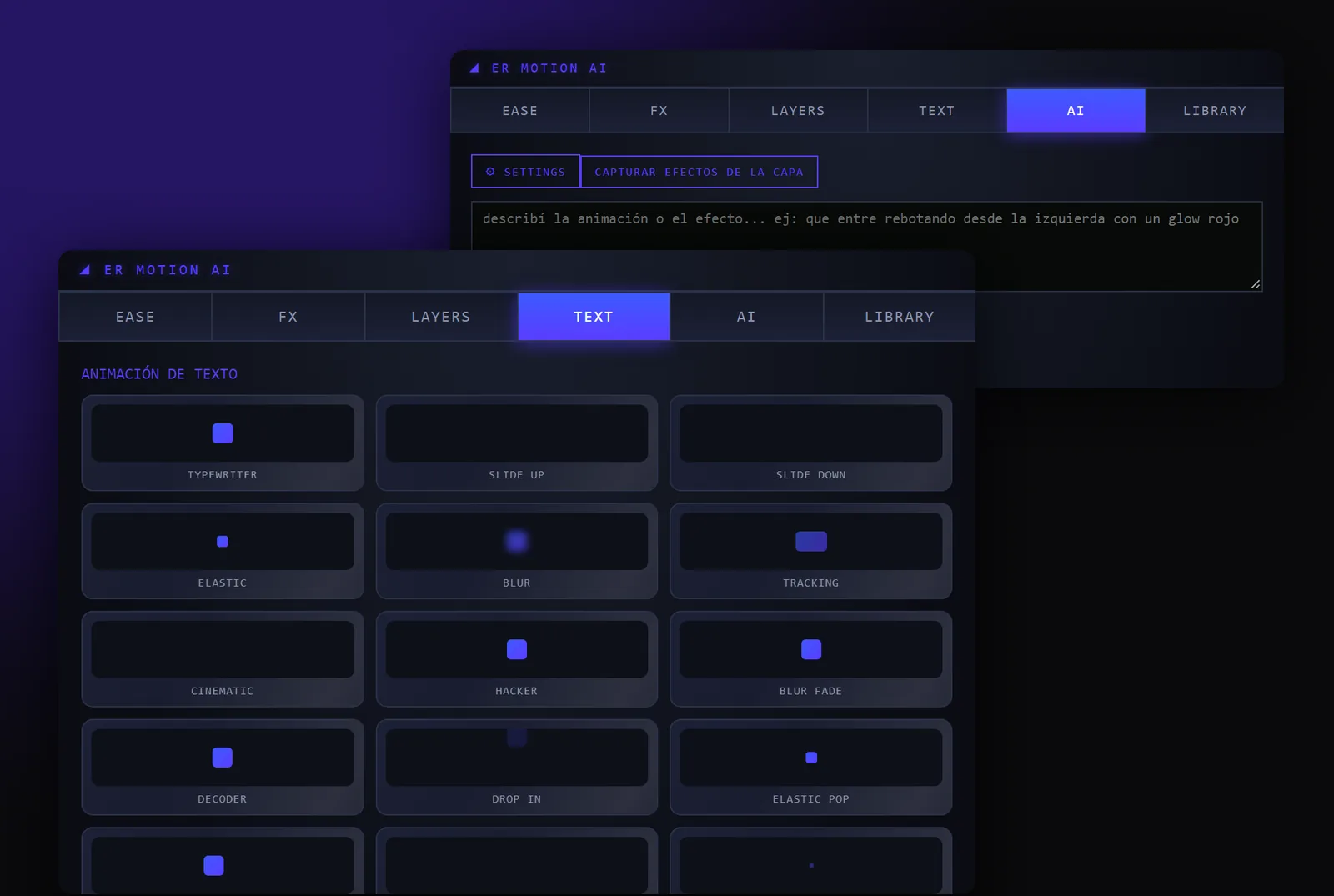
16 text animation presets: Typewriter, Slide, Elastic, Blur, Tracking, Cinematic, Hacker, Decoder, Glitch, Stomp and more.
AI: from a sentence to the animation
Type "bounce in from the left with a red glow" and the panel creates the keyframes, expressions and effects. It can use any installed effect, native or plugin, and the scripts in your Scripts folder.
Learns your taste
Capture a layer's effects as a named style, mark results with Like or Dislike, and ask for them by name: "add my red glow".
LIBRARY
Your saved presets and styles, applied without the AI.
Your key, your control
The AI tab uses your own Anthropic (Claude) API key. It's stored in your user folder and never goes through any server of ours.
Plugin
App screens
TEXT and AI tabs of the panel
Plugin
Price
One-time payment, no subscription. Once the payment is confirmed we email you your key. The installer is on the Downloads page and activates with that key.
- 6 tabs: EASE, FX, LAYERS, TEXT, AI and LIBRARY
- 16 text presets, Wiggle, Strobe and Motion Animator
- AI: from a prompt to keyframes, expressions and effects
- Your own styles: capture, Like, Dislike
- Windows and macOS, After Effects 2024–2026
- Key for 1 computer, never expires
- Free updates
Your key arrives by email after payment
Plugin
Requirements
- After Effects 2024, 2025 or 2026, on Windows or macOS
- On Mac, a free ZXP installer such as aescripts ZXP Installer. Not needed on Windows: it has its own Setup
- Internet to activate the key. After that it keeps working up to 7 days offline
- For the AI tab: an Anthropic API key (created at console.anthropic.com; usage is billed by Anthropic)
Plugin
Installation
Download the installer from Downloads: the Setup on Windows or the ZXP on Mac.
With After Effects closed, run the Setup. On Mac, drag the ZXP onto ZXP Installer.
Open After Effects: Window → Extensions → ER Motion AI.
Paste the key we sent you and click ACTIVATE.
FAQ