
Plugin · Photoshop 2023+
Real halftones for DTF printing.
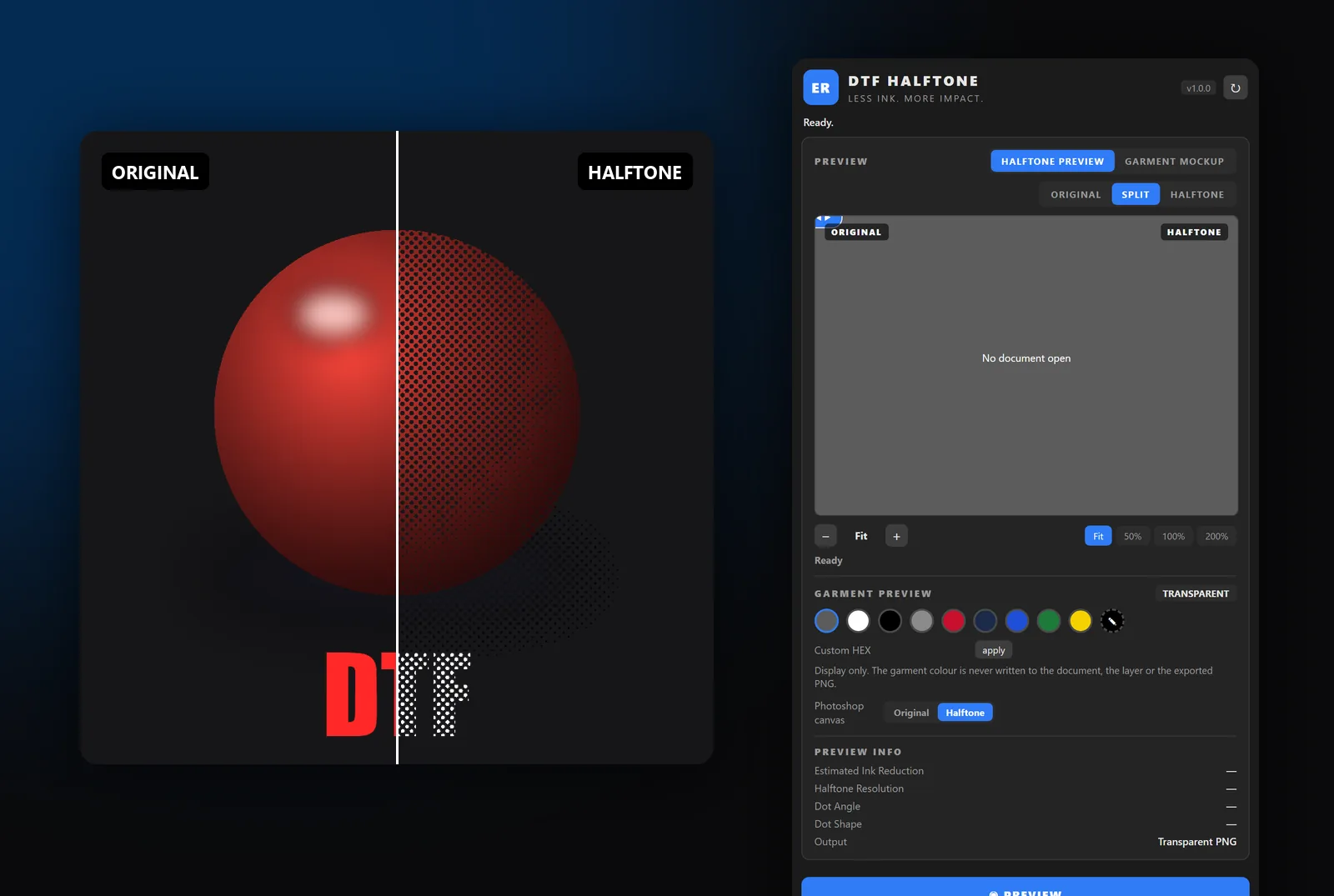
ER DTF Halftone is a Photoshop panel that turns shadows, gradients, highlights and photos into solid ink dots on a transparent background. Less ink, softer hand feel, no accidental white background and no damage to the solid areas of the design. Includes a garment mockup studio.
Plugin
What's inside
Real AM screen
Clustered dots like a print shop: LPI, angle, shape (round, ellipse, diamond, line), dot gain, threshold and contrast.
Smart DTF
Analyzes the image in blocks: keeps flat and hard-edged areas solid and screens only gradients, shadows, highlights and transparency.
Tone modes
Light for white shirts, Dark for black shirts, Photo for photographs. Ink reduction in percent.
6 presets
Photo, Soft Gradient, Vintage, Black Shirt, White Shirt and Heavy Ink Reduction. Or tweak and save your own.
Preview inside the panel
Original | Halftone comparator with a draggable bar, 50/100/200 % zoom with the real dots, and garment color to see how it will look.
Non-destructive
Creates the ER DTF Halftone layer on top; the original stays hidden, never modified. One history step.
Exports RIP-ready
PNG-24 with transparency. Removes white backgrounds and drops the tiny dots that peel off the film.
Mockup studio
T-shirt, long sleeve and hoodie, front and back, fabric color and a client presentation (front + back, with your logo).
Plugin
App screens
Original | Halftone comparator and the panel
Plugin
Price
One-time payment, no subscription. Once the payment is confirmed we email you your key. The installer is on the Downloads page and activates with that key.
- AM screen with LPI, angle and 4 dot shapes
- Smart DTF and tone modes
- Comparator and zoom with real dots
- Non-destructive, one history step
- Garment mockup studio
- Windows and macOS, Photoshop 2023 or later
- Key for 1 computer, never expires
Your key arrives by email after payment
Plugin
Requirements
- Adobe Photoshop 2023 (24.2) or later, Windows or macOS
- The Creative Cloud app installed (it comes with Photoshop)
- Designs in 8-bit RGB with transparency (PNG)
- Internet to activate the key. After that it keeps working up to 7 days offline
Plugin
Installation
Download the installer from Downloads: the Setup on Windows or the .ccx on Mac.
With Photoshop closed, run the Setup. On Mac, double-click the .ccx with the Creative Cloud app open.
Open Photoshop: Plugins menu → ER DTF Halftone.
Paste the key we sent you and click ACTIVATE.
FAQ